

For Your Teams
— Three-panel conversation dashboard — conversation list, active chat, customer history
— Internal Team Chat — a private staff channel your customers never see
— Any staff member can pick up any conversation
— Staff management — add and remove team members, control who has access
— Auto-replies by topic — the system responds instantly when no one is online
— File attachments in every conversation
— @mentions in Team Chat — tag a colleague directly in a message
— Email alert when a new customer conversation starts
— Conversation status management — Open, Pending, Resolved, Closed

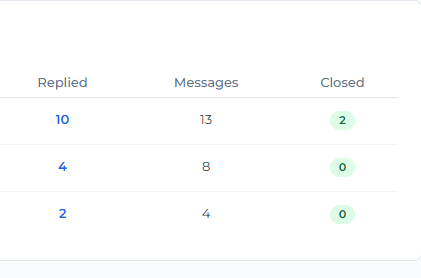
— Analytics dashboard — conversation volumes, response times, staff performance
— Branded chat landing page — your logo, your colours, your business
— Branded staff login portal — your team logs in through your website, not WordPress admin
— Topic management — organize conversations by subject, each with its own auto-reply
— Customer profiles — full history of every conversation with every customer
— Settings fully in your control — notification emails, auto-reply messages, branding
— One annual licence — no per-agent fees, no usage limits, no surprises
— Data is yours permanently — uninstalling the plugin never deletes your conversations
Not an app. Not a third-party platform. Website customer messaging that belongs to you.

HOW IT WORKS
Simple by design
Up and running in four steps.
Step 1:
Install the plugin
Download ChatRM and install it on your WordPress website like any other plugin. It activates in seconds and creates everything it needs automatically — no technical setup required.
Step 2:
Set up your workspace
Add your logo, brand colour, and auto-reply messages. Add your team members. The plugin creates your branded chat page and staff portal automatically.
Step 3:
Your customers start chatting
A floating chat button appears on your website. Customers click it, enter their name and email, and start a conversation immediately. No app. No account. No friction.
Step 4:
Your team responds
Staff log into the branded staff portal and see all conversations in real time. They reply, share files, and manage conversations — all from inside your website. New conversations trigger an email notification so no message is missed.
Frequently asked questions.
Q1: Do my customers need to download an app or create an account?
No. Customers visit your website, click the chat button, enter their name and email address, and start chatting immediately. That is all. No app, no registration, no password.
Q2: Where is my customer data stored?
ChatRM does not store any of your data on external servers.
Q3: What happens to my data if I stop using ChatRM?
Your conversations remain in your database permanently. Deactivating or uninstalling the plugin does not delete your data. The administrator is given an explicit choice about data removal during uninstallation — and the default is to keep everything.
Q4: Does my team need access to WordPress admin?
No. ChatRM creates a branded staff portal on your website. Your team logs in there and manages all conversations without ever needing to access the WordPress admin dashboard.
Q5: How many staff members can I add?
As many as your business needs. There are no per-agent fees. One annual licence covers your entire team, regardless of size.
Q6: What happens when no staff member is online?
ChatRM sends an automatic reply to the customer immediately. You configure the auto-reply message yourself — and you can set different messages for different conversation topics, so the response is always relevant.
Q7: Does ChatRM work on any WordPress website?
ChatRM works on any self-hosted WordPress website running PHP 7.4 or higher and WordPress 5.9 or higher. It uses your existing database and hosting — no additional infrastructure is required.
Q8: How do I receive my licence after purchase?
After payment is confirmed, Eunoia Consultants will issue your licence key within one business day. The key is entered in your ChatRM settings and activates the plugin immediately. Support is available from Eunoia Consultants throughout your licence period.